 Top 3 Priorities
For owners, managers & team leads
From sign-in to a live company dashboard in about 15 minutes.
New tools usually fail because rollout takes weeks and nobody shows up to the training. This one has no training. Below is the entire rollout — every screen you'll touch, in order, with the real time each step takes.
1 min
Sign in
~1 min each
Add people
1 click
Send invites
60 sec
They set their 3
0 min
Watch it live
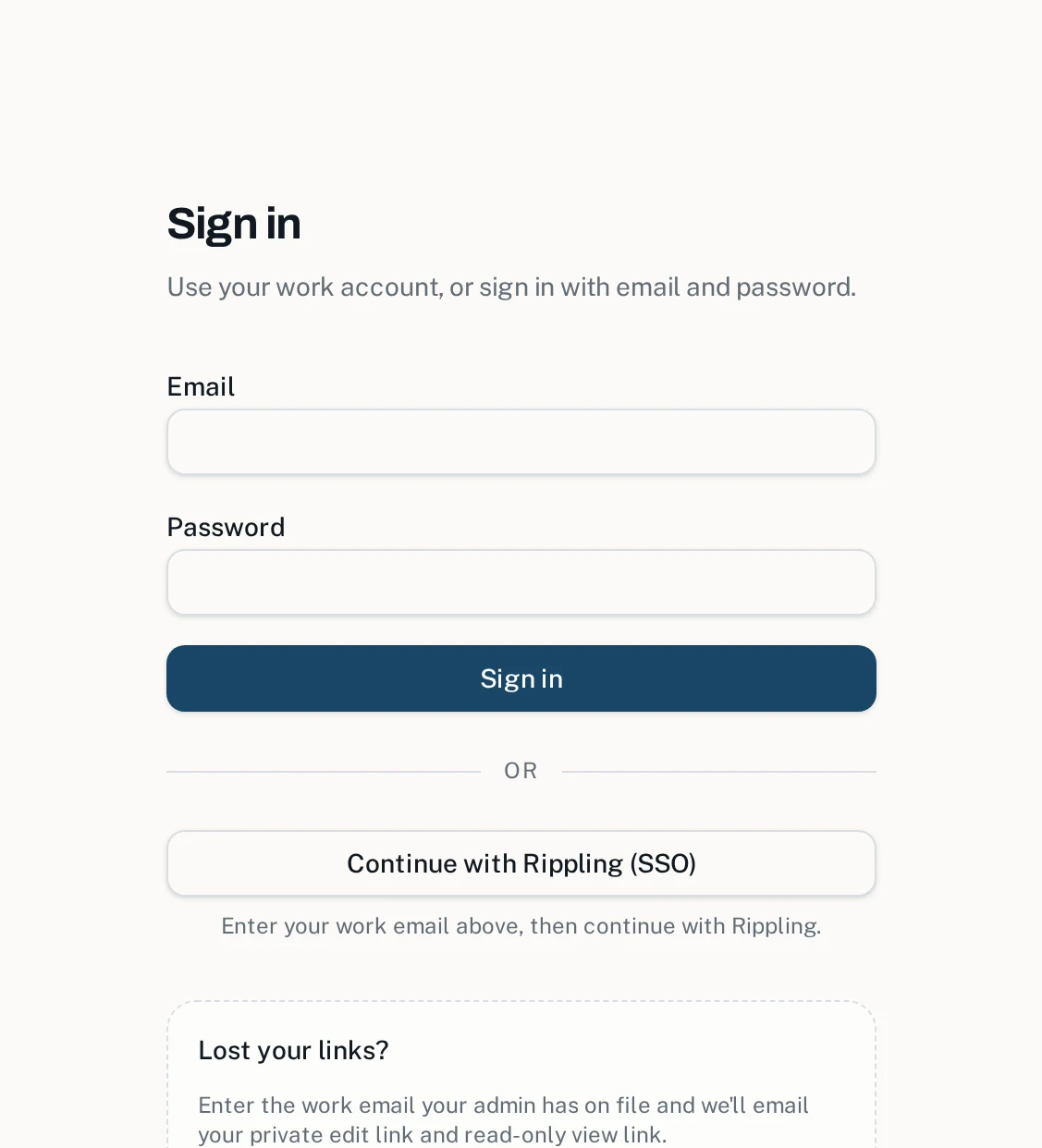
Sign in as the admin
Only one person needs an account: whoever runs the roster. Sign in with an email and password, or with your company's SSO (Rippling and other SAML providers are supported) if you prefer to keep it under your existing identity system.
That's the only login in the entire product. Nobody else on your team will ever create an account, set a password, or install an app.
Add your team members
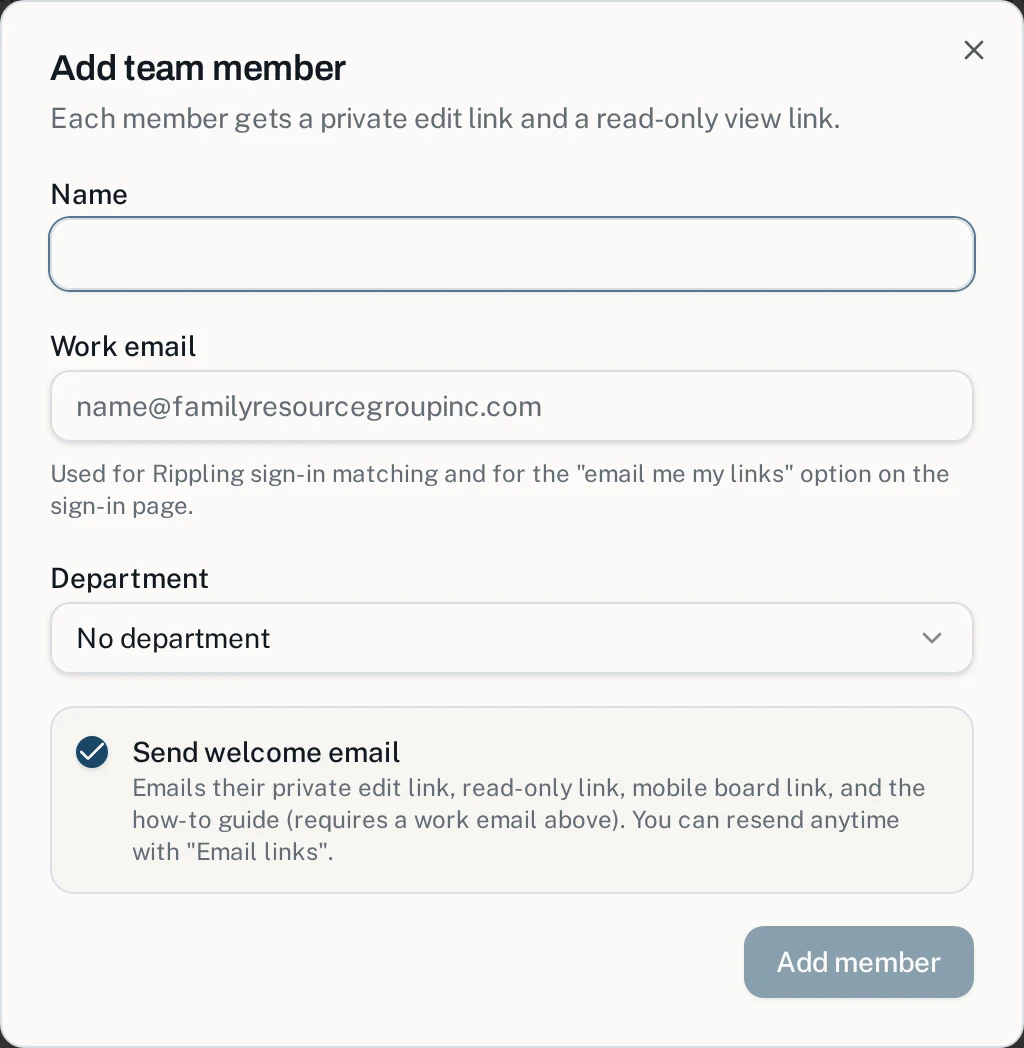
In the Admin Portal, tap Add team member and enter a name, work email, and department. A 10-person team takes about 10 minutes; a 35-person team is a single focused sitting.
Using SSO already? Members can also appear automatically the first time they sign in — but adding them by hand is so fast most admins never bother waiting.
Send the invites — instructions included
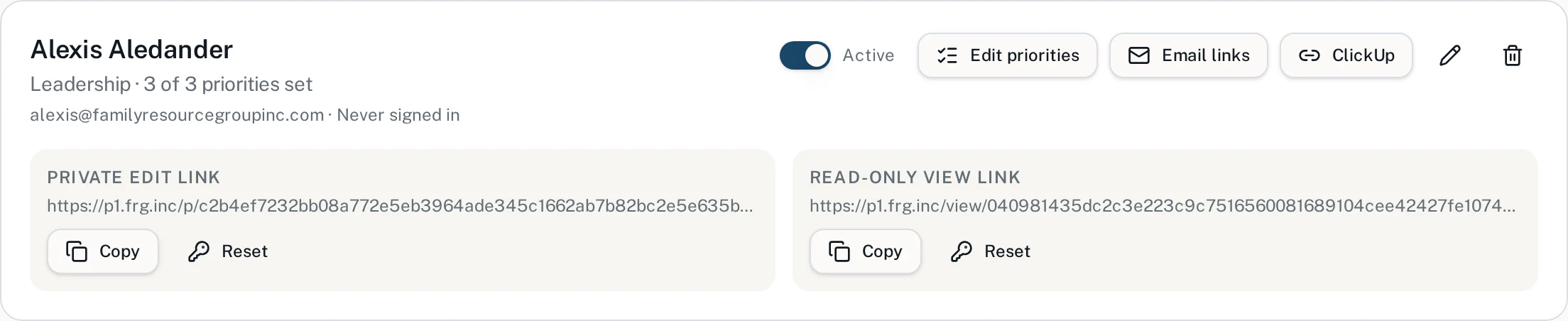
Leave Send welcome email checked (or tap Email links later) and each person receives one email containing everything they need:
- Their private edit link — where they set their Top 3
- Their read-only view link — safe to share with their manager
- The mobile board link — the whole team in their pocket
- A link to the how-to guide — step-by-step instructions, including how to save it to their phone's home screen
The invite is the training. You never run a kickoff meeting, record a Loom, or answer "how do I log in?" — there is no login.
Your team sets their Top 3 — and one problem
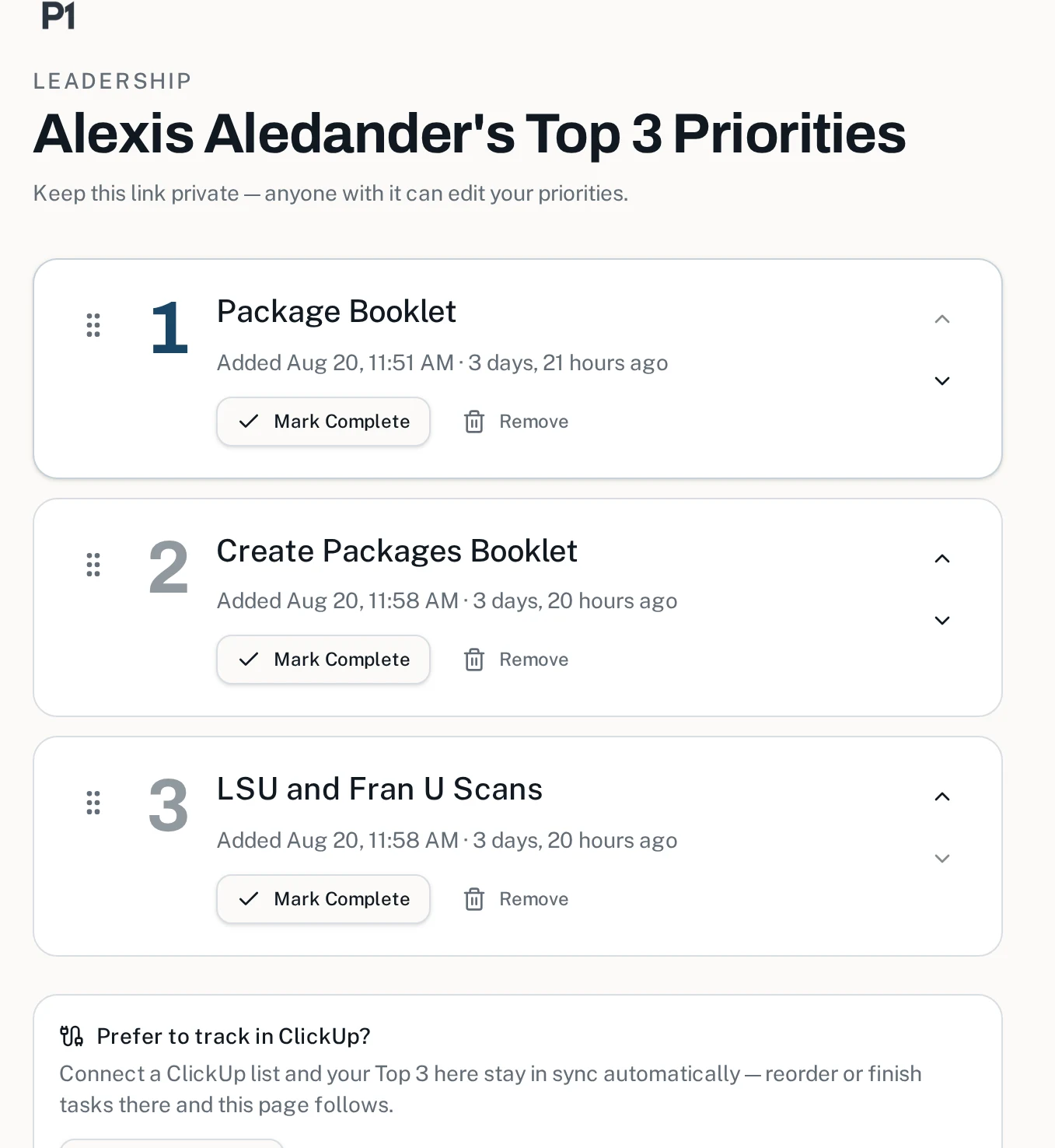
Each person opens their private link and types three priorities. If they can send a text message, they can do this. The page saves instantly — there is no submit button to forget.
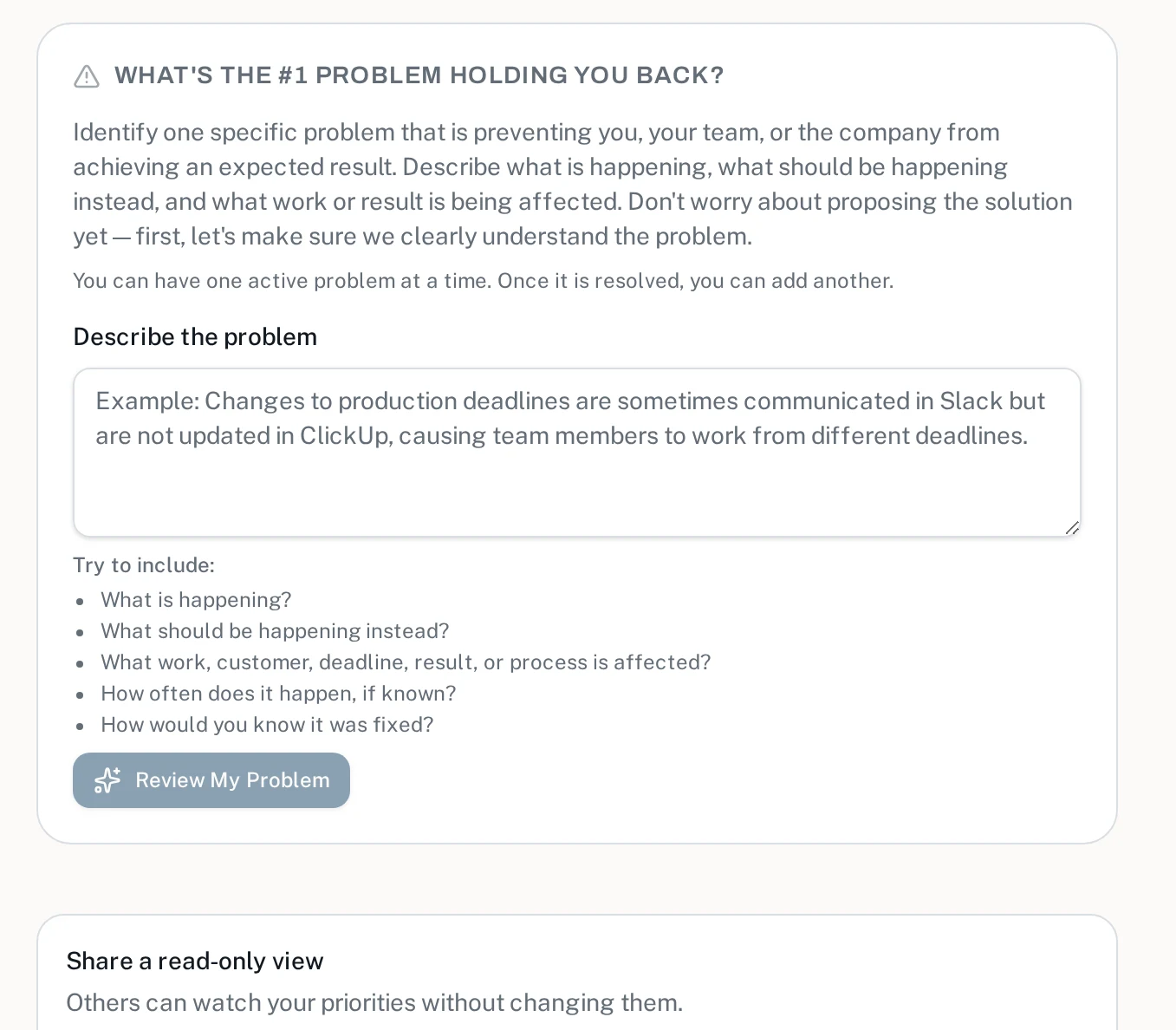
Below their list they can name the one problem slowing them down. A built-in AI coach helps them turn a vague frustration into a specific, solvable problem — so you get clear signal about what's really blocking the business, not noise.
Watch the dashboard come alive
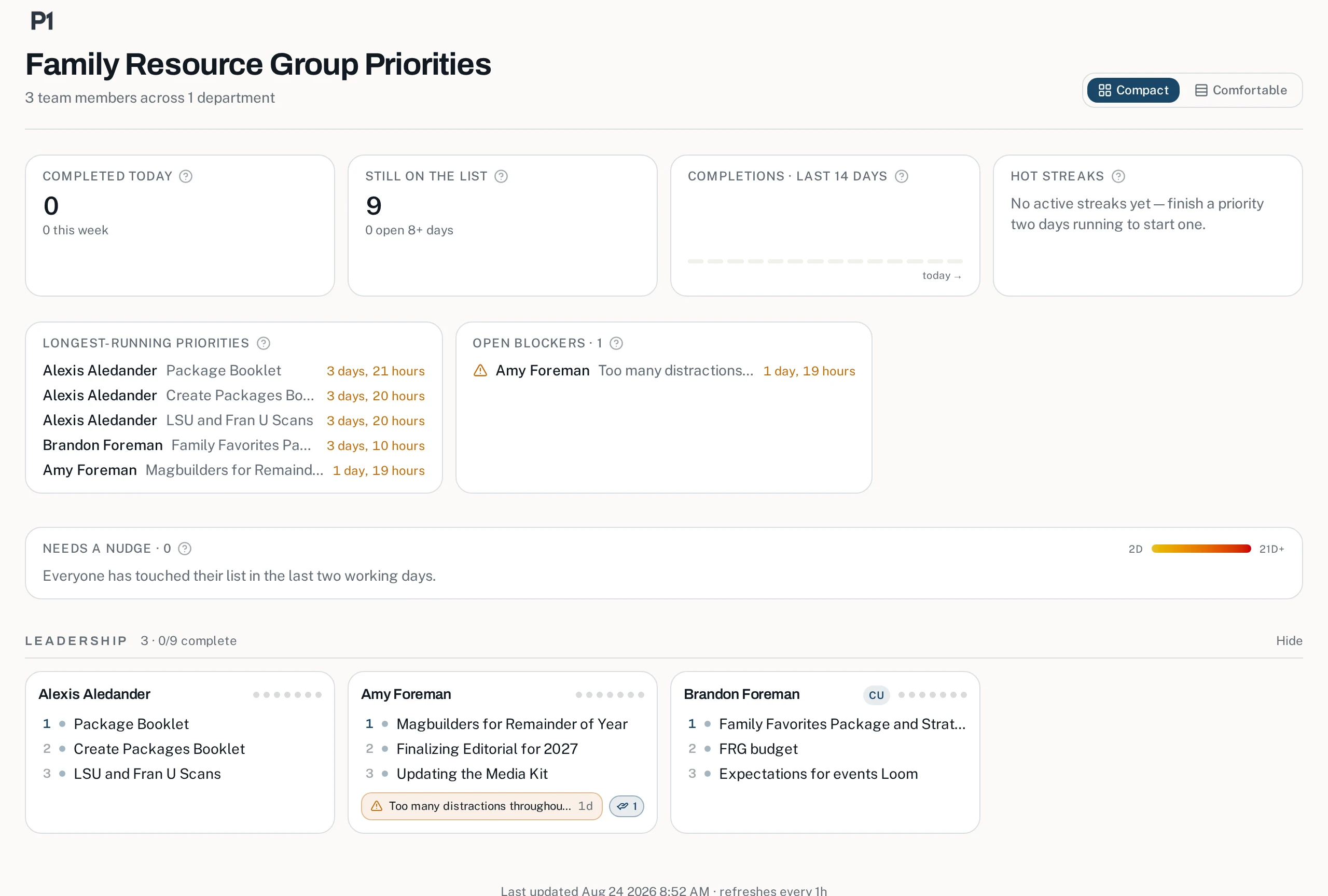
The moment the first person saves their list, your dashboard starts filling in: everyone's three priorities grouped by department, completions today and this week, hot streaks, the longest-running items, open problems, and a gentle radar for anyone who's gone quiet.
Share the company dashboard link with leadership, department links with each manager, and the mobile board link with everyone. They refresh themselves all day — put it on a TV and stop asking for status updates.
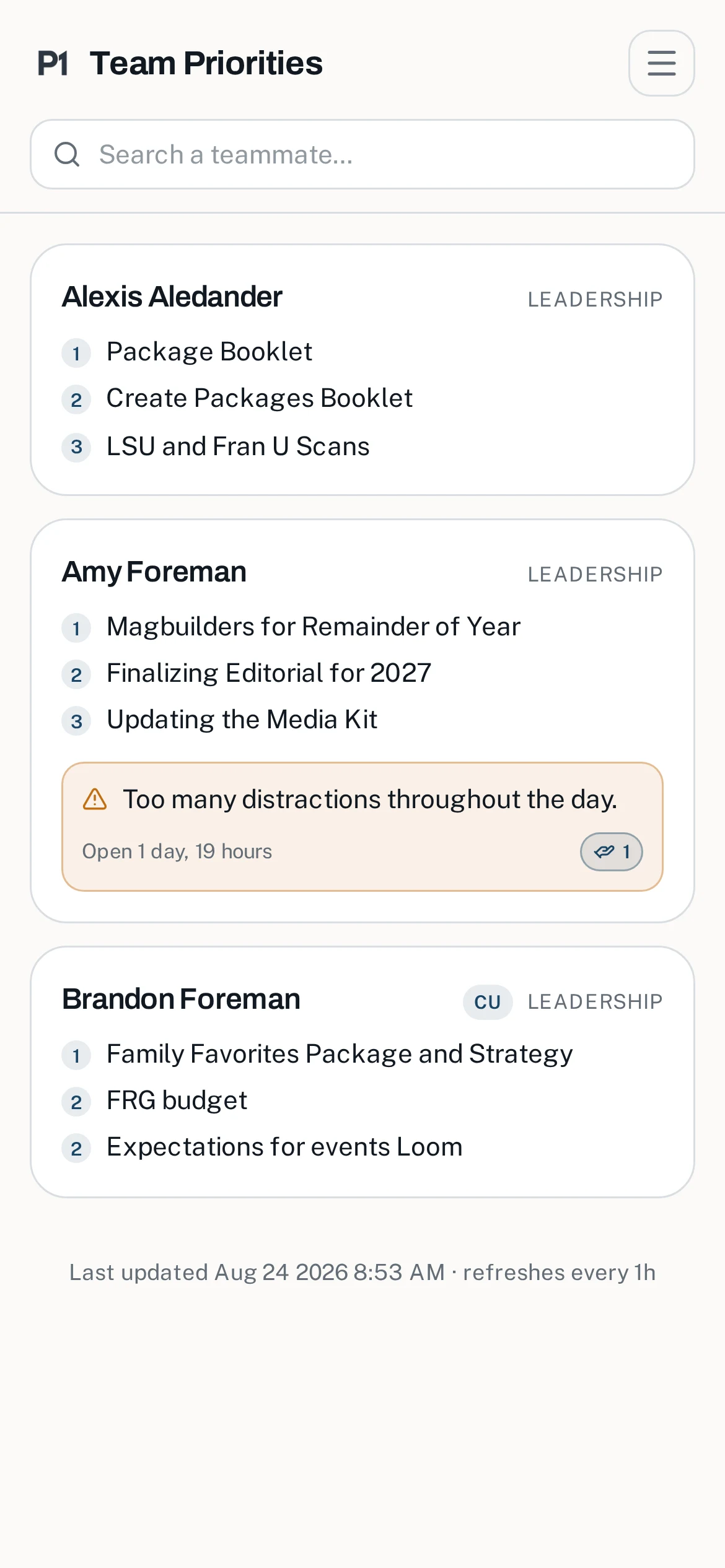
The mobile board — same live view, built for phones.
"But my team won't adopt another tool…"
"It'll take forever to set up."
The whole rollout above is about 15 minutes of admin time — most of it typing names.
"Everyone needs training."
The welcome email includes a how-to guide with screenshots. Opening a link is the training.
"People will forget their passwords."
There are no passwords. The private link is the key, and lost links are recovered by email in seconds.
"It'll be another app nobody opens."
Members save it to their phone's home screen like an app — and updating all three priorities takes about 60 seconds.
The result: instead of wondering what people are actually working on, you see it — live, every day, for every person. And instead of hearing about problems in exit interviews, you see them while they're still fixable.
Ready to see your whole team on one page?
Start your rollout today, or send us a note and we'll help you get set up.
Curious what your team receives? Read the same how-to guide their invite links to.